


Advertisement
4
Total 0
 GET
Advertisement
SCREENSHOT
DESCRIPTION
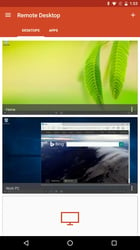
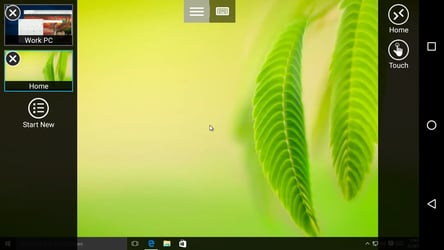
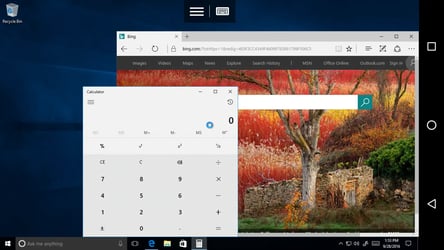
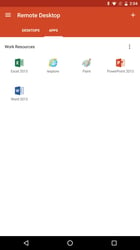
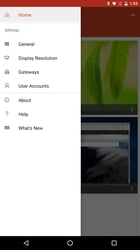
Use the Microsoft Remote Desktop app to connect to a remote PC or virtual apps and desktops made available by your admin. With Microsoft Remote Desktop, you can be productive no matter where you are. Getting Started + Learn how to use Microsoft Remote Desktop at https://aka.ms/rdanddocs. + Learn about our other Remote Desktop clients at https://aka.ms/rdclients. + Submit feedback at https://aka.ms/rdandfbk. Features + Access remote PCs running Windows Professional or Enterprise and Windows Server + Access remote resources published by your IT admin + Connect remotely through a Remote Desktop Gateway + Rich multi-touch experience supporting Windows gestures + Secure connection to your data and applications + Simple management of your connections from the Connection Center + High-quality video and audio streaming Permissions This app requires certain permissions to use features in the app. These are enumerated below. Optional access [Storage]: access authority is required to access local drives and documents from the Remote Desktop session when the Redirect local storage feature is enabled.
Advertisement
GET THE APP
Platform
Android/iOS
Size
13.9 MB /13.9 MB
Version
8.1.82.445 /8.1.82.445
Updated
Aprpril 25, 2021/Augugust 09, 2018
Developer
Microsoft Corporation
Content Rating
4+


Disclaimers. The mobile game and app download address is from the official app marketplace of iOS App Store and Google Play. It has been checked for security and does not contain viruses or malware.
POPULAR NOW

簡單記帳 - 天天掌握生活收支
4.9

01 Sept,2024

Bigo Live–Live Stream, Go Live
4.5
29 Feb,2024

X
3.8
21 Dec,2023

TikTok
4.3
10 Jan,2024

Instagram Lite
4.4
29 Jan,2024

Netflix
4.2
04 Apr,2024

Telegram
4.3
08 Jan,2024

Uber - Request a ride
4.6
17 Jan,2024

Duolingo: Language Lessons
4.7
20 Mar,2024

Gmail - Email by Google
4.2
25 Apr,2024

Google Translate
4.2
18 Jan,2024

PDF Reader
4.5
21 May,2024

3.4
31 Dec,2023


Advertisement


