


Advertisement
4
Total 0


Advertisement
SCREENSHOT
DESCRIPTION
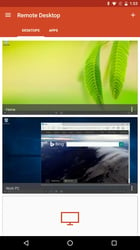
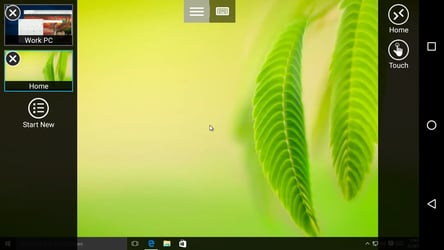
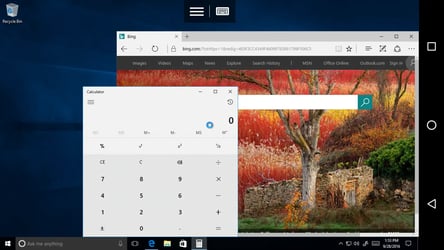
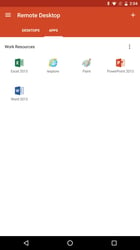
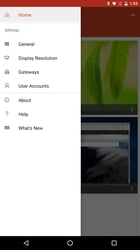
Use the Microsoft Remote Desktop app to connect to a remote PC or virtual apps and desktops made available by your admin. With Microsoft Remote Desktop, you can be productive no matter where you are. Getting Started + Learn how to use Microsoft Remote Desktop at https://aka.ms/rdanddocs. + Learn about our other Remote Desktop clients at https://aka.ms/rdclients. + Submit feedback at https://aka.ms/rdandfbk. Features + Access remote PCs running Windows Professional or Enterprise and Windows Server + Access remote resources published by your IT admin + Connect remotely through a Remote Desktop Gateway + Rich multi-touch experience supporting Windows gestures + Secure connection to your data and applications + Simple management of your connections from the Connection Center + High-quality video and audio streaming Permissions This app requires certain permissions to use features in the app. These are enumerated below. Optional access [Storage]: access authority is required to access local drives and documents from the Remote Desktop session when the Redirect local storage feature is enabled.
Advertisement
POPULAR NOW

簡單記帳 - 天天掌握生活收支
4.9

01 Sept,2024

Bigo Live–Live Stream, Go Live
4.5
29 Feb,2024

X
3.8
21 Dec,2023

TikTok
4.3
10 Jan,2024

Instagram Lite
4.4
29 Jan,2024

Netflix
4.2
04 Apr,2024

Telegram
4.3
08 Jan,2024

Uber - Request a ride
4.6
17 Jan,2024

Duolingo: Language Lessons
4.7
20 Mar,2024

Gmail - Email by Google
4.2
25 Apr,2024

Google Translate
4.2
18 Jan,2024

PDF Reader
4.5
21 May,2024

3.4
31 Dec,2023


Advertisement


