


Advertisement


4.4
Total 2114
 GET
Advertisement
SCREENSHOT


DESCRIPTION
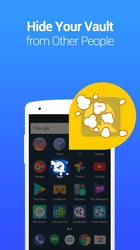
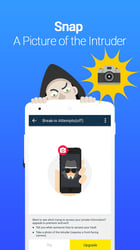
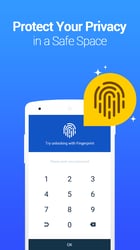
Vault is a mobile app designed to hide private photos, videos on your phone. Currently there are more than 100 million users worldwide using Vault to protect their mobile privacy while enjoying App Lock, Private Bookmark, Incognito Browser, Cloud Backup and many other helpful features for completely free! Join them now! Top Features ☆ Hide and Protect Photos & videos: Photos and videos imported into phone can only be viewed or played after the correct password is entered. These photos and videos can also be backed up to Cloud Space for better protection. ☆ App Lock (Privacy Protection): Use App Lock to protect your social, photo, call logs and telephone apps to prevent privacy leak. ☆ Private Browser: With Private browser, your internet surf will leave no traces behind. There is also Private Bookmark feature. ☆ Cloud Backup: Back up your photos and videos to Cloud so they never get lost. ☆ Data Transfer:With Cloud Backup feature, you could easily transfer your data to a new phone by cross-device synchronization. ☆ Password recovery: Worried about forgetting your password? Set a security email in Vault so you can retrieve it. Advanced Features ► Multiple Vault & Fake Vault Create multiple vaults with different passwords for storing photos, videos respectively. And one of them can be a fake vault. ► Stealth Mode Make Vault icon disappear from your home screen and it can only be found again with the correct password, so no one knows it exists. ► Break-in Alerts Secretly snaps a picture of any one who attempts to access with a wrong password. Vault captures a photo, the time stamp and PIN code entered by all intruders. Support: ► Q&A: 1. What if I forgot my password? If you have a security Email set up before, you should be able to see a "Forgot Password" en-trance once you input the wrong password. Tap on the entrance and follow the instructions to reset your password. If you do not have a security Email but you had backed up your data to cloud space, then the data can be recovered from the cloud by reinstalling Vault app. 2. How do I enter vault in stealth mode? 1. Put Vault back to the phone’s home screen by adding Vault widget, once it appears on home screen, tap on it, and then input your password to enter, or, 2. Download "NQ calculator" in Google Play, open it, and input correct password then tap "=". 3. Why are my photos/videos lost? Some cleaning or free storage apps may automatically delete Vault’s data folder used to store pictures and videos. So, as a best practice, please do not choose to delete Vault’s data folder and subfolders (mnt/sdcard/SystemAndroid) when you use such apps. You can also backup your pictures and videos to cloud by using "Cloud Backup" feature in the premium page of Vault. ► Facebook Page & Messager: Vault – hide pics&videos, sms, lock app @nqvaultapp This app uses the Device Administrator permission.
Advertisement
GET THE APP
Platform
Android
Size
18.8 MB
Version
6.9.11.80.22
Updated
February 28, 2024
Developer
Wafer Co.
Content Rating
4+


Disclaimers. The mobile game and app download address is from the official app marketplace of iOS App Store and Google Play. It has been checked for security and does not contain viruses or malware.
POPULAR NOW

簡單記帳 - 天天掌握生活收支
4.9

01 Sept,2024

Bigo Live–Live Stream, Go Live
4.5
29 Feb,2024

X
3.8
21 Dec,2023

TikTok
4.3
10 Jan,2024

Instagram Lite
4.4
29 Jan,2024

Netflix
4.2
04 Apr,2024

Telegram
4.3
08 Jan,2024

Uber - Request a ride
4.6
17 Jan,2024

Duolingo: Language Lessons
4.7
20 Mar,2024

Gmail - Email by Google
4.2
25 Apr,2024

Google Translate
4.2
18 Jan,2024

PDF Reader
4.5
21 May,2024

3.4
31 Dec,2023


Advertisement


